
BENTLEY'S SOFTWARES

AND SERVICES FOR DESIGN

OPENRAIL DESIGNER

Railway network design software

Detailed railway track design and analysis in a single application

Category/INFRASTRUCTURE

What's OPENRAIL DESIGNER

OpenRail Designer introduces a new, comprehensive modeling environment to streamline the delivery of rail network projects. This environment unifies design and construction, from concept to commissioning and completion.

OPENRAIL DESIGNER Features

Improve BIM workflows

OpenRail Designer allows you to easily export digital documentation, including IFC files, to support industry BIM workflows. You can use item types to include component attribution for more efficient and data-rich BIM documentation. Enhance your BIM workflows in a digital twin authoring environment while supporting the creation of all traditional and digital project documentation.
Features

  • Adding real-world digital context
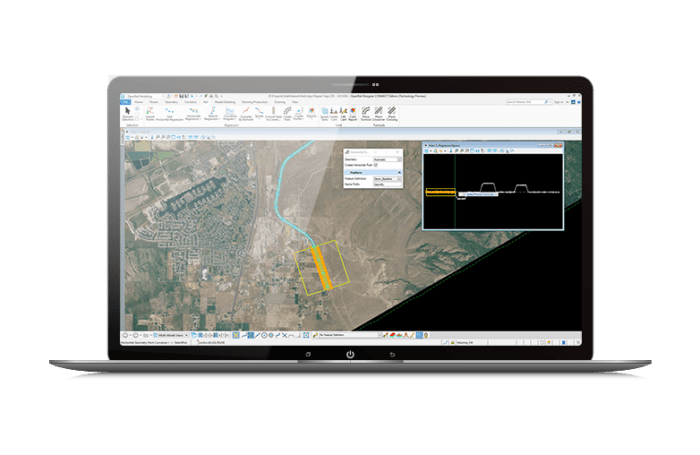
    You can bring real-world settings into your project by quickly collecting contextual data from a variety of sources, such as point clouds, 3D reality meshes, terrain data, imagery, and geospatial information. Clearly understand existing conditions and accelerate project modeling workflows by integrating geospatial information to ensure models are geospatially accurate.
  • Streamline team collaboration
    Share project information across teams, locations, and disciplines with accuracy and security.
  • Project Visualization
    Explore your projects in real time with constraint-driven models, an intuitive, context-sensitive interface, and dynamic 3D modeling. Visualize your project anytime and on-demand within the modeling workflow. No translations, software, or special workflows are required. Share realistic visualizations with the public and stakeholders to gather feedback, improve public engagement, and accelerate project approval.

Design in an immersive, high-performance 3D modeling environment

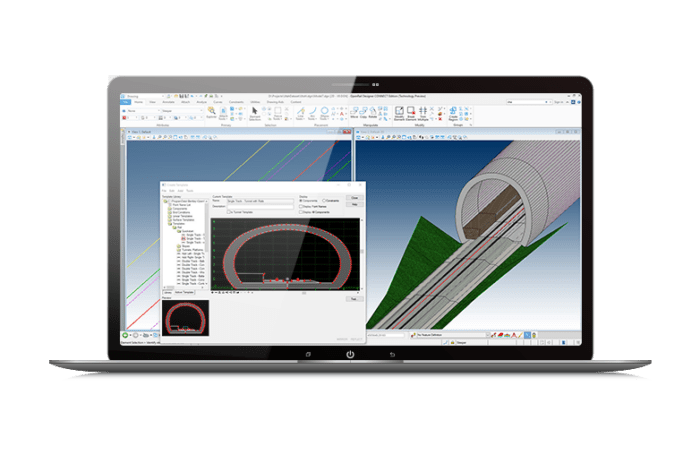
The software offers an immersive, high-performance 3D modeling environment that enables instant and interactive parametric modeling of rail corridors. Improve asset quality and reduce rework with a fully localized application.
Features

  • Rail and Sleeper Placement
    Rail placement features ensure accurate coordinates and junctions are calculated using track widening tables and cant data. Simple and long sleepers can also be created based on the geometry and switch positions.
  • Track Regression Analysis
    Convert track data surveys into complete alignments using regression analysis. Determine the optimal geometric alignment for tracks from a variety of survey data types, including transition types and cant.
  • Automate Rail Drawing Production
    Automate the production of high-quality drawings, including consistent multi-disciplinary documentation sets across the entire project. Get a real-time view of the project with sheet orientation to reflect drawing changes. Make changes directly in the sheets, and OpenRail Designer will update the original geometry.
  • Design and analysis of corridors, signals, drainage systems, geometry, depots, stations, and service tracks
    Use immersive corridor modeling capabilities that support the complex modeling and file federation requirements of BIM technology starting at Level 2. Configure and place signals within a railway model. Ensure appropriate drainage is included in railway designs. Combine surveys, design rules, and operational requirements to generate the optimal geometry for your track. With easy-to-use geometry capabilities and a comprehensive turnout library, you can create designs for depots, stations, and service tracks. Rule-based track elements ensure easy adaptation to design changes.
  • Reuse common design layouts
    Use civil cells to ensure standards implementation, increase design quality, and eliminate the need to repeatedly design common configurations. If you can design it, a civil cell can handle it. There’s no limit to the simplicity or complexity of a civil cell.
  • Creating Profiles and Cross-Sections
    ​Create profiles and cross-sections from anywhere within your project. Quickly visualize updates as your project changes with dynamic cross-sections. You can see the terrain change to reflect your design changes. Include surface features, corridor components, and notations, such as building limits or stationing.

Matching applications and services

OpenBridge Designer

Bridges design

License to use to purchase

OpenRoads Designer

Roads design

License to use to purchase

OpenSite Designer

Concept design

Licenza d’uso da acquistare

Richiesta demo OpenRail Designer

Per richiedere una demo del programma si prega di compilare il modulo sottostante