






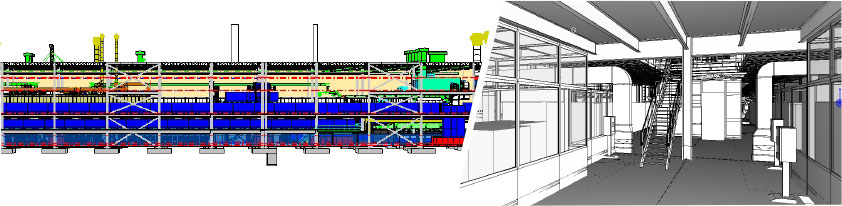
“Geico Taikisha is a company with undoubted know-how and logistical strength to tackle major engineering challenges, but it has also been able to get the best out of MicroStation from an operational standpoint.”
MicroStation is used in the automotive industry because it often involves integrating files of different formats, sizes, and content types. Certain 3D models with MicroStation can be compressed into a very lightweight DGN archive, or at least one with much smaller bytes than any other standard CAD format on the market.
This particular case was a specific request from the client, Daimler, to Geico Taikisha. Since the parent company’s management system needed to be kept under control, a 5 megabyte limit was set for each file uploaded to the system.
Meeting this limit with MicroStation is very simple.
The plant has been operational in Brazil for some time now, and it took two years to complete the order. Given its success, Geiko Taikisha has been awarded other plants in Russia and France.
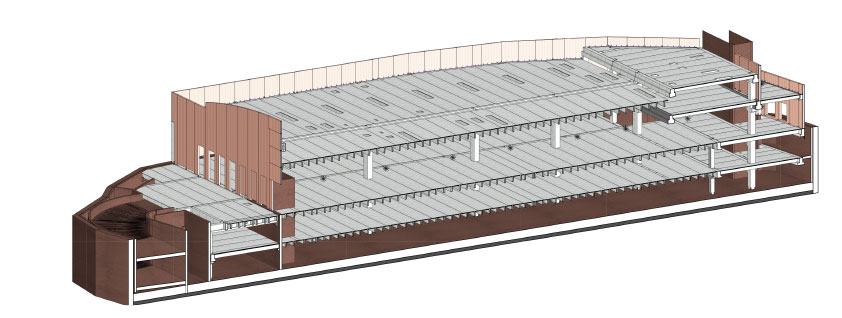
The client, Esselunga, a major player in the Italian large-scale retail trade, commissioned Tesi System S.r.l. to build a structure suitable for a 6,800 m² supermarket, including 3,000 m² on the sales floor and the remainder divided into two underground levels for parking.
TesiSystem is the Grigolin Group company specializing in the production and construction of prefabricated prestressed reinforced concrete structures.
The production and storage facilities span over 210,000 m². All its products are designed with MicroStation.
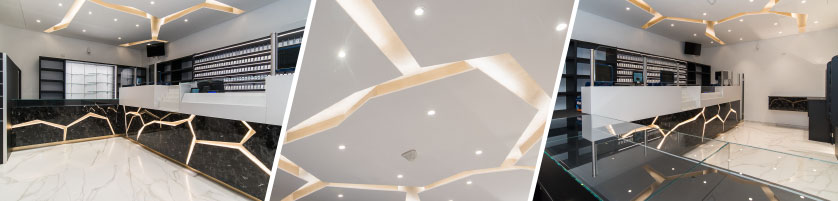
“Small companies like ours have one of their best sales tools: response times. To win the increasingly fierce competition in the industry, you have to be there first and better than others. We can’t deny that MicroStation plays an important role in this.”
—Daniele Cappa, Owner of Cappa Arredamenti Srl
Characterized by the typical Italian manufacturing landscape, comprised primarily of small and medium-sized businesses, Cappa Arredamenti has always operated in the furniture sector, specializing primarily in serving commercial businesses of all types, both food and non-food. The company designs various types of shops and is widely known for its tobacco shops, but has also designed numerous bars, pharmacies, delicatessens, shopping centers, and bakeries. It often collaborates with major brands (Chanel and Davidoff, to name a few) on individual corner and display projects.
The foundation of its furniture design and production over the past thirty years has always been a single CAD software: Bentley Systems’ MicroStation.
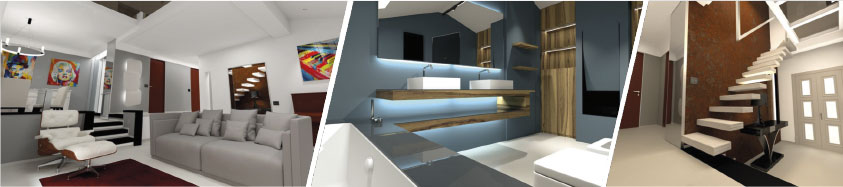
“Using MicroStation, from concept to final design, allowed, as always, complete control of all design phases. Using a single platform has the enormous advantage of allowing us to immediately incorporate changes and new proposals, etc., without any issues.”
—Gianluca Ravara, Architect
Nora’s House involved the modern and elegant renovation of a villa interior designed and built in 1970. RendArk was commissioned to design the new interiors to meet the client’s specific brief, which included home furnishings.
With the design, they needed to work closely with the client to meet their expectations. To be successful, they needed a software application that would simplify project updates.
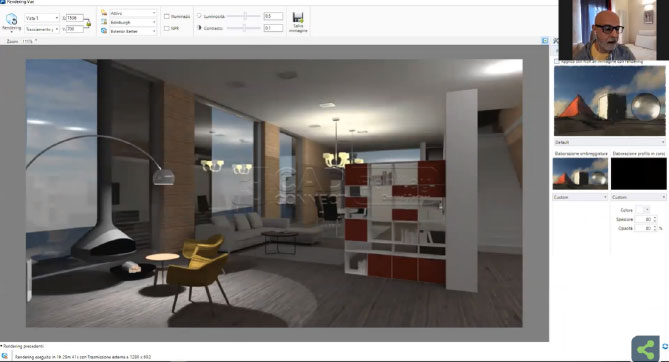
Already experienced with MicroStation, RendArk used it to develop an integrated rendering of the villa’s design. By monitoring the project in a single platform, they saved time and reduced errors. The client suggested several changes during the design phase, which were promptly addressed in the application. This provided the client with a preview of the final design, resulting in faster approval.
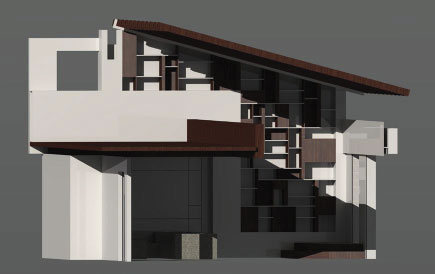
“MicroStation’s flexibility allowed us to reduce time throughout the entire design phase. Furthermore, the 3D design functionality gave the client the ability to visualize the entire project and understand what their new living area would look like.”
—Allessio Meris, Business Manager
The owners wanted to renovate their living room and kitchen. A.B.I. was commissioned to design, manufacture, and install the furniture and wall coverings. The house had large spaces and soaring ceilings, giving the owners the opportunity to choose unusual furnishings, but they couldn’t rely on traditional design and manufacturing techniques.
Therefore, they needed an application that would allow them flexibility with their design. A.B.I. used MicroStation to design the furniture, including tables and chairs, a bookcase, and a display case. They also designed the wall covering using panels of various sizes. MicroStation’s flexibility allowed them to modify the design based on the client’s suggestions, and the 3D capabilities allowed the client to visualize the project as it would appear once built. These practices saved time in project approval and woodworking operations, reducing errors. Everyone worked flexibly in a single application, creating a result that exceeded all expectations.